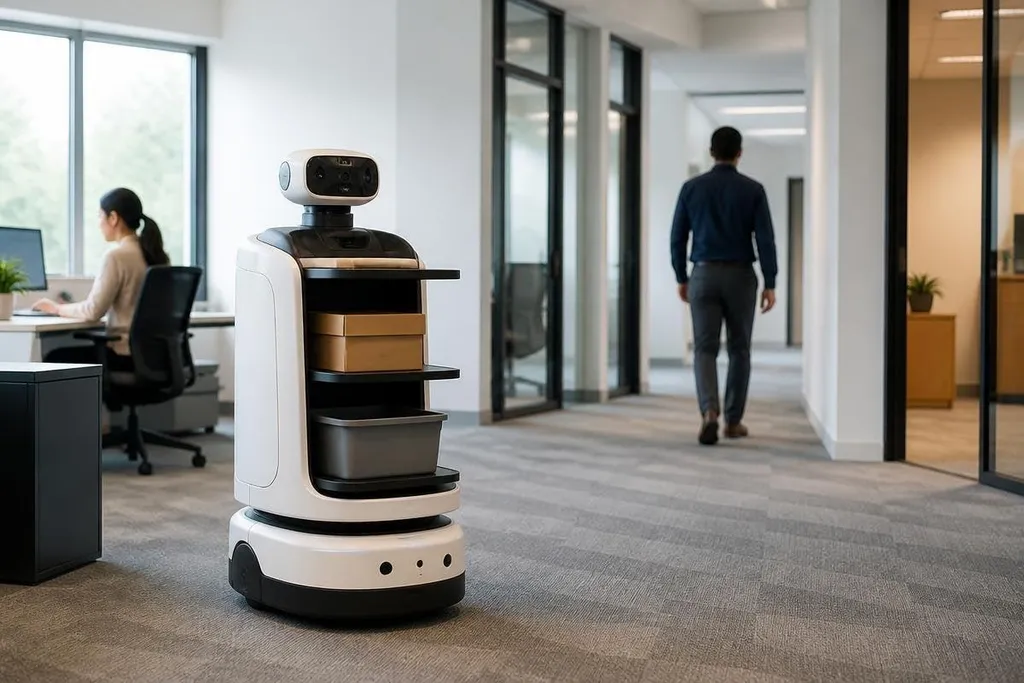
An office robot used to follow fixed routes and wait for a clear command. AI lets it connect speech, camera input, maps, and task rules so it can handle more varied work.
The useful question for an office manager is where that extra flexibility saves time, and where it still needs a person nearby.
Quick read
- Cameras help the robot identify doors, desks, people, and objects.
- Language models turn ordinary requests into steps the robot can try.
- Human checks still matter when the task affects safety, privacy, or access.
From fixed commands to task steps
Traditional office automation follows set instructions. A robot may move between marked points, carry a tray, or scan a badge at a known location. AI adds a layer that can interpret a less exact request, such as taking a parcel to a named room.
That request still needs a working system behind it. The robot must identify the room, plan a route, avoid people, reach the delivery point, and report what happened. AI can help connect those steps, but motors, sensors, doors, lifts, and building rules still decide whether the task works.
The change is practical. Staff may spend less time learning special commands, while the robot can handle small changes in the workspace. A chair moved into a corridor or a meeting room booked for a different use can force the robot to pause, ask for help, or choose another route.
What the robot senses
Office robots often combine cameras with other sensors. A camera can help locate people and objects. Depth sensing can estimate distance. Microphones can pick up speech, while wheel or arm sensors tell the control system how the robot is moving.
AI models turn those signals into useful labels and actions. The system may identify an open doorway, read a room sign, or detect that a person is standing in the planned path. Each result has limits: poor lighting, reflective surfaces, blocked signs, and background noise can reduce accuracy.
This is why a good deployment starts with the building, not the software demo. You need to check floor surfaces, door widths, lift access, charging points, and places where people gather. A robot that works in a quiet test area may need more checks in a busy office.
How language changes control
A language model can turn “take these files to meeting room 4” into a task plan. It may ask which files you mean, confirm the room, and send movement commands to a separate navigation system. The language model handles the request; it does not replace the drive motors or safety sensors.
That separation matters. A fluent answer can sound certain even when the robot lacks access to a room or cannot identify an object. Teams should make the robot state what it found, what it could not check, and when it needs a person to step in.
For an office robot buyer, a report from Robot24.com can tie an AI claim to the task the robot performed and the person who took over when it failed. The next section tests where AI helps in office work, and where the robot still needs a person.
Where AI helps most
Office robots have a clearer case when the work is repeated, the route is known, and the result can be checked. Delivering items between rooms, guiding visitors, checking whether a meeting space is occupied, and moving supplies fit that pattern when the building supports the robot.
The robot can also use past task data to spot repeated delays. If a door blocks a route at certain hours, the system may suggest another path or ask staff to change the schedule. That does not mean the robot has solved the building problem. It has found a pattern that a person can act on.
Privacy needs equal attention. Cameras and microphones may collect information about staff, visitors, documents, and conversations. Before purchase, ask where data is processed, how long recordings remain available, who can view them, and whether the robot can work with sensors disabled in private areas.
A buying check for office teams
Use these questions before a trial:
- Name the task: Can you describe the job with a clear start point, end point, and success check?
- Map the building: Have you tested doors, lifts, floor changes, charging spots, and crowded areas?
- Set human control: Can a staff member stop the robot, take over, or approve a sensitive action?
- Check failure reports: Does the system record blocked routes, missed objects, and unfinished tasks?
- Review data handling: Which sensors run, where their data goes, and how long it stays there?
- Price the support: Who updates maps, fixes hardware, and responds when the robot stops?
AI can make office robots easier to instruct and better at handling small changes. It cannot remove the need for sound building design, clear limits, maintenance, and human judgment. I’d buy around one repeated task first, then expand only after the robot’s failure records show that it can finish that task without constant help.